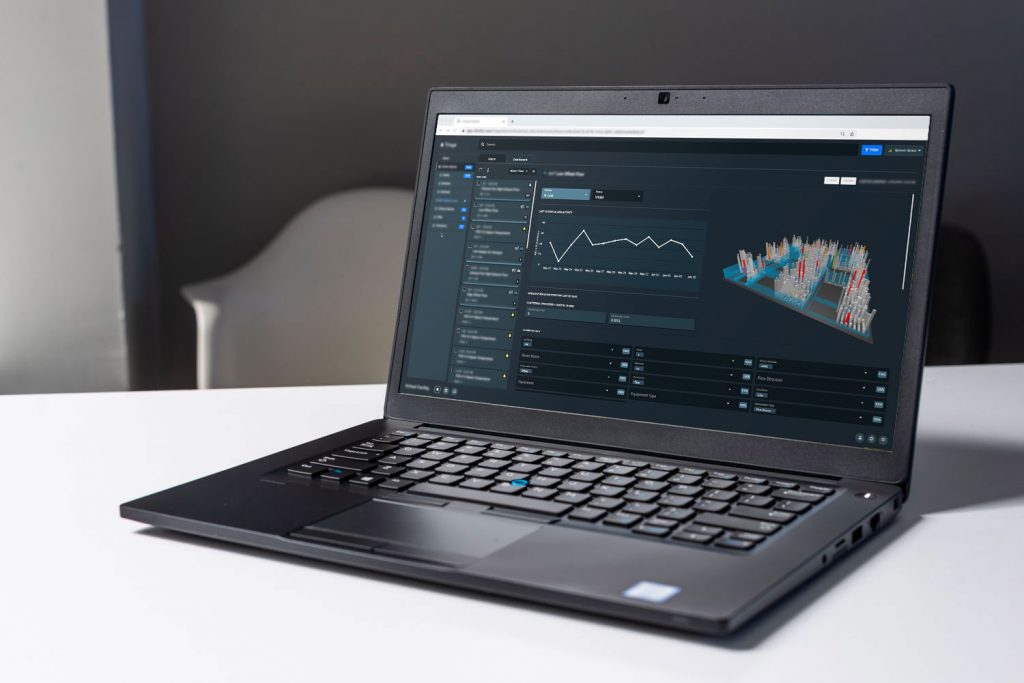
Case study: Virtual Facility (VFI)
- Project: A product feature, “Work”, to enable accountability and problem-solving in work assignments among all parties involved in the facility management ecosystem
- Role: Lead UX Product Designer
- Team: 1 Product Manager, 1 Visual Designer, 1 Product SME in Facility Management, and a Dev team of 6
- Contributions: Hands-on tasks included research lead – user interviews, competitive analysis, personas, user flows, information architecture, prototyping, testing
- Tools: Sketching, Whimsical, Figma, Prototyping (Figma), Zeplin
Who is Virtual Facility?
Virtual Facility is a NYC-based startup in the building automation industry that is evolving the way facilities are managed. Virtual Facility’s mission is to create technology that empowers humans who manage and run buildings to do better work, work on better problems, and make their daily lives easier.
After raising a round of funding, I was hired as the company’s first staff designer. I lead the efforts to build an internal design team to translate their outsourced sales prototype into a live product that is being used by paying customers today.
Virtual Facility saw an opportunity in redefining task ownership and proactive work in the currently mostly reactive workflow of facility management.
Exploratory research
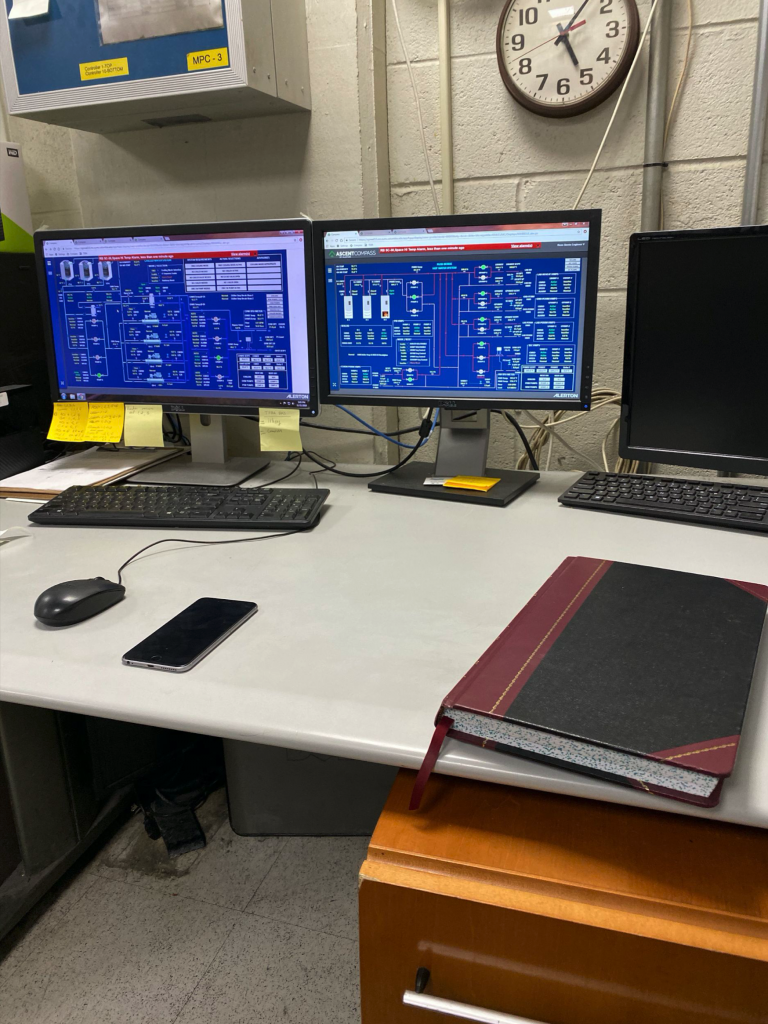
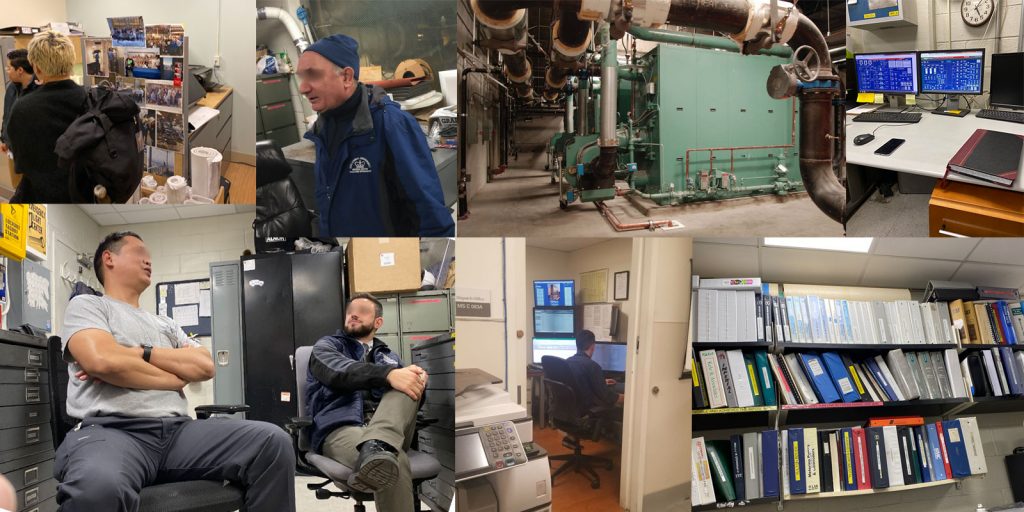
To learn about our customers and their work environments, we conducted on-site user interviews with different stakeholders. We went to facility management offices and toured the engineering workshops / mechanical engine rooms of several hospitals in NYC.
User problems of facility workers
- The facility management team is working reactively rather than proactively
- Budgets are tight and resources (workers, tools) are limited
- Operation and quality of work can’t be measured
- Building automation system (BAS) alarm data doesn’t provide meaningful context
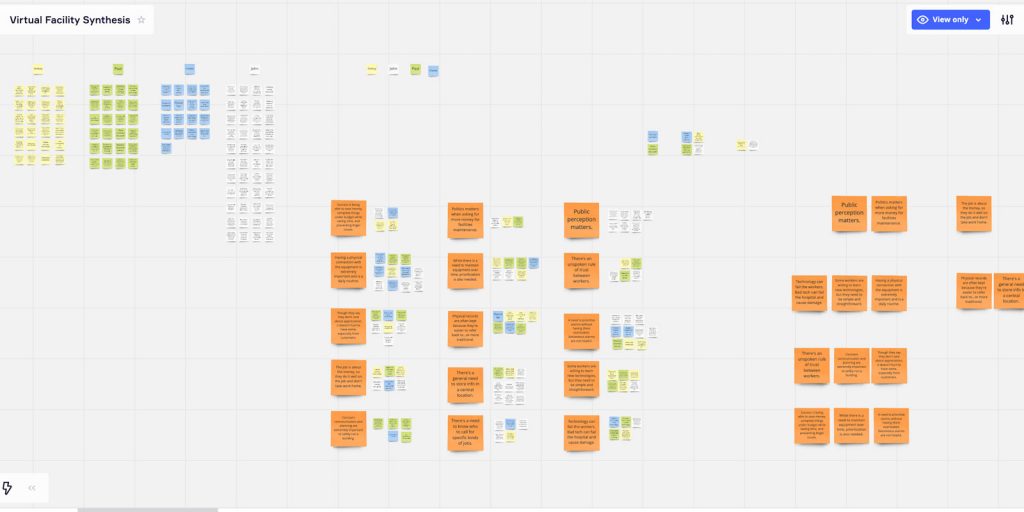
- Root causes of problems are impossible to discover quickly
Business goals for facility management
– transitioning from analog to digital
- Prevent the loss of domain knowledge
Facility management faces an aging workforce: workers stay in facility positions for over fifteen years.
In-depth knowledge about facility systems gets lost due to retirement. - Set up measures for quality control of work
Workers capture their daily work reports on paper and in physical logbooks.
During shift changes, the information is transferred in-person. - Increase the visibility of ownership and status of tasks
An abundance of things happens in buildings around the clock – losing track of ongoing projects, maintenance work, and the delegation of resources becomes unavoidable. - Improve channels of communication between facility management teams
Status updates of projects and events take place in meetings and briefings, crucial small details tend to get lost in the process.
Customer experience mapping
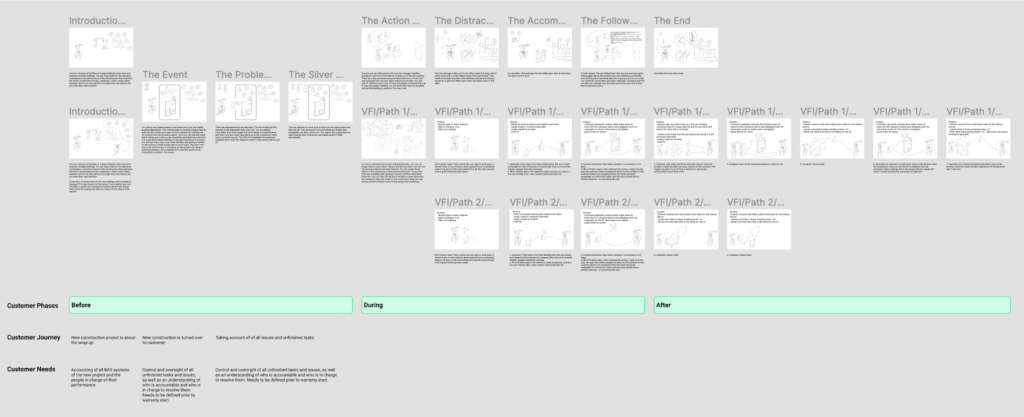
We mapped the user’s journey throughout a critical chain of events in three scenarios:
- the past (customer without our product)
- the present (customer using our current product)
- the future (a vision of our product for the customer)
Design problem statements
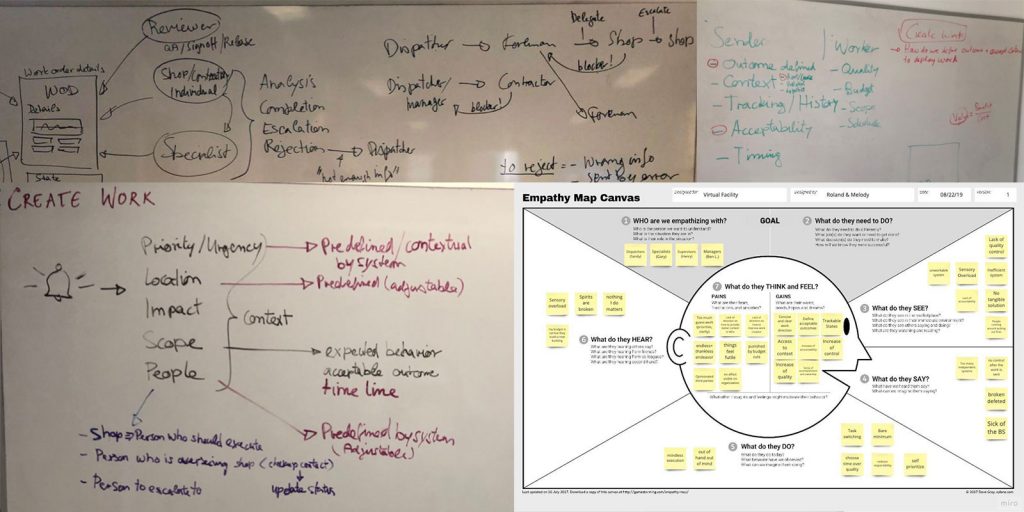
The flow of successful work can be best segmented into three critical phases, of which each has its own specific challenge:
- Creating work
Work dispatchers need a way to add context, refer to a traceable timeline, and set criteria for acceptable work outcomes when submitting work tickets to workshops. The current lack of clarity, documentation, and structure hinders scalability, is blocking quality control, and prevents worker accountability. - Doing work
Workers need a way to understand and contextualize all aspects of their assignments, take agency in their work process, and communicate/document their work because without these mechanisms work is frustrating, time-consuming, and inefficient. - Reviewing work
Work reviewers need a way to assess the completion of work tickets by reviewing the acceptance criteria and rejecting incomplete tickets because there is currently no way to measure work efficiency/cost and give workers contextual feedback on incomplete work
The new product feature “Work” will provide:
- context and traceable timelines
- acceptance criteria and clear ownership
- documentation and quality assessment
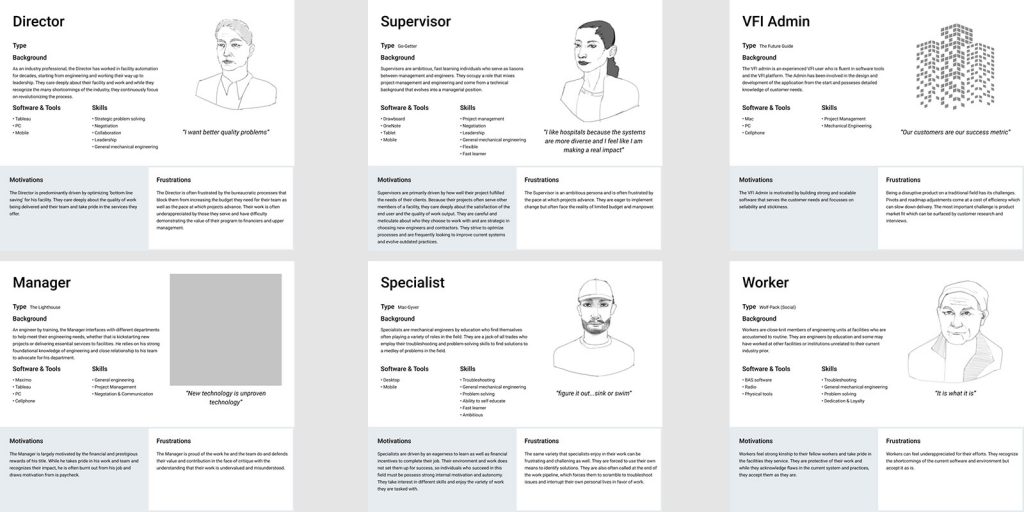
User personas
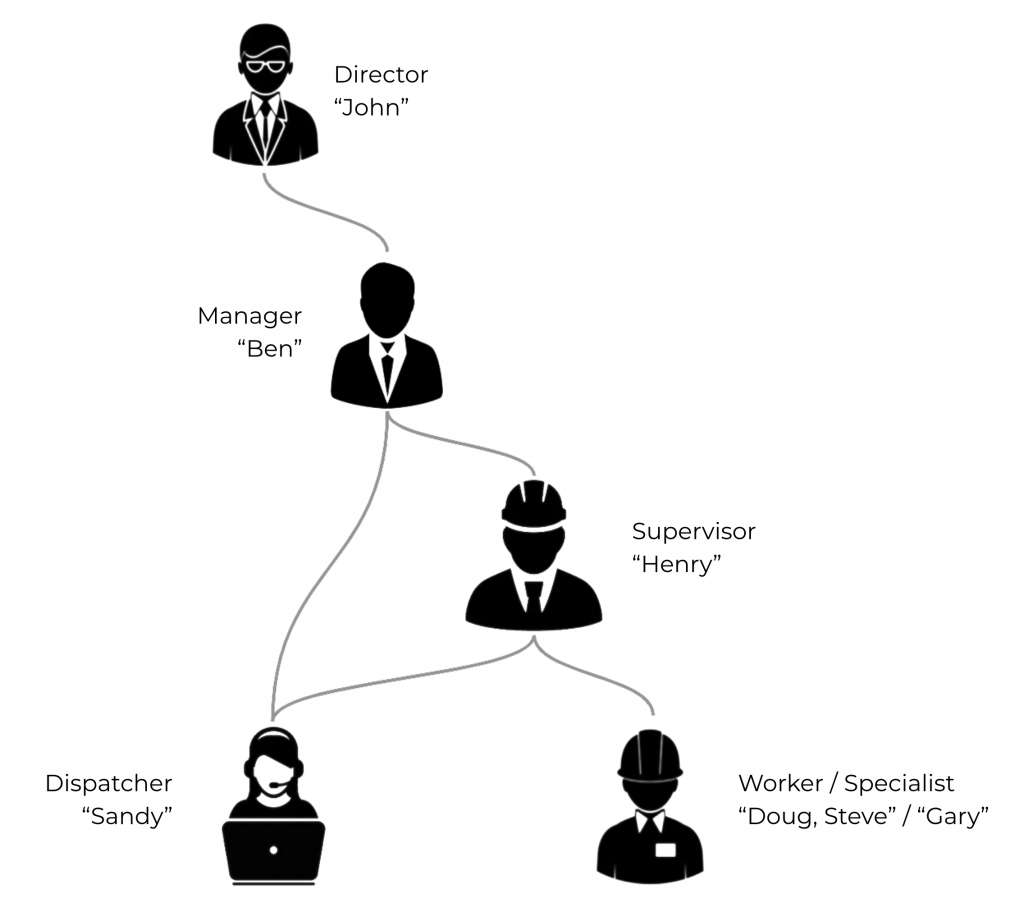
- Who is creating work tickets?
(“X%” = proportion of involvement in the task)
Dispatcher Sandy 100% (first line of defense)
Specialist Gary 10% (third-party vendor involved by an escalation of problems)
Supervisor Henry 10% (reactive/escalates to Gary)
Manager Ben 5%
- Who is doing work / executing on work tickets?
Worker Steve 100%
Specialist Gary 50%
Foreman/Worker Doug 10%
- Who is reviewing the work tickets?
System-driven reviews (AI) 50%
Supervisor Henry 100%
Specialist Gary 20%
Manager Ben 5%
Minimum viable product features
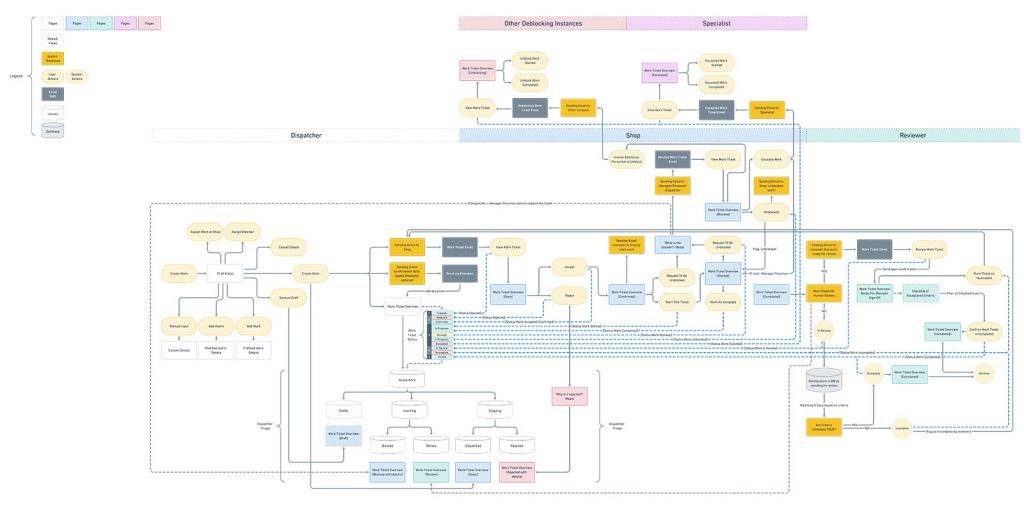
We were able to create the North Star flow of our product feature, the vision as to where we are seeing the full potential of “Work”.
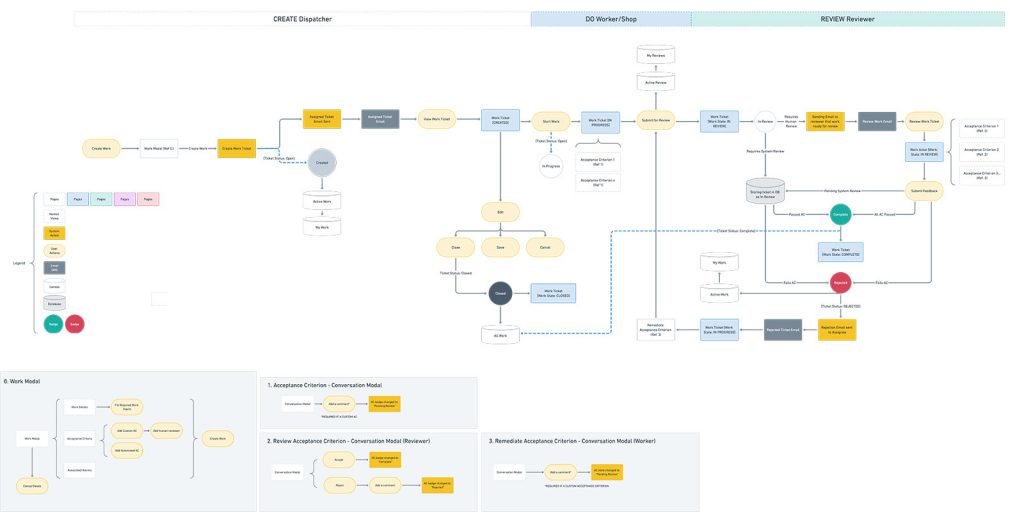
Then we stripped the feature to its minimum viable product (MVP) version:
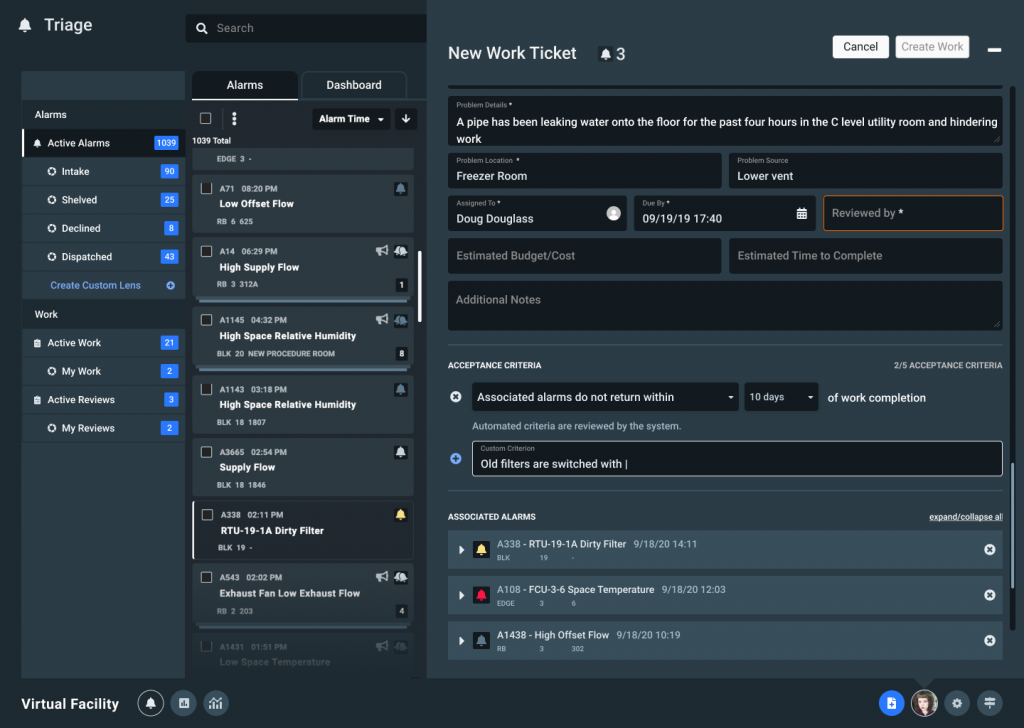
Create Work: a work ticket …
- gets dispatched and assigned to a person
- contains associated system alarms to provide context
- contains specific acceptance criteria
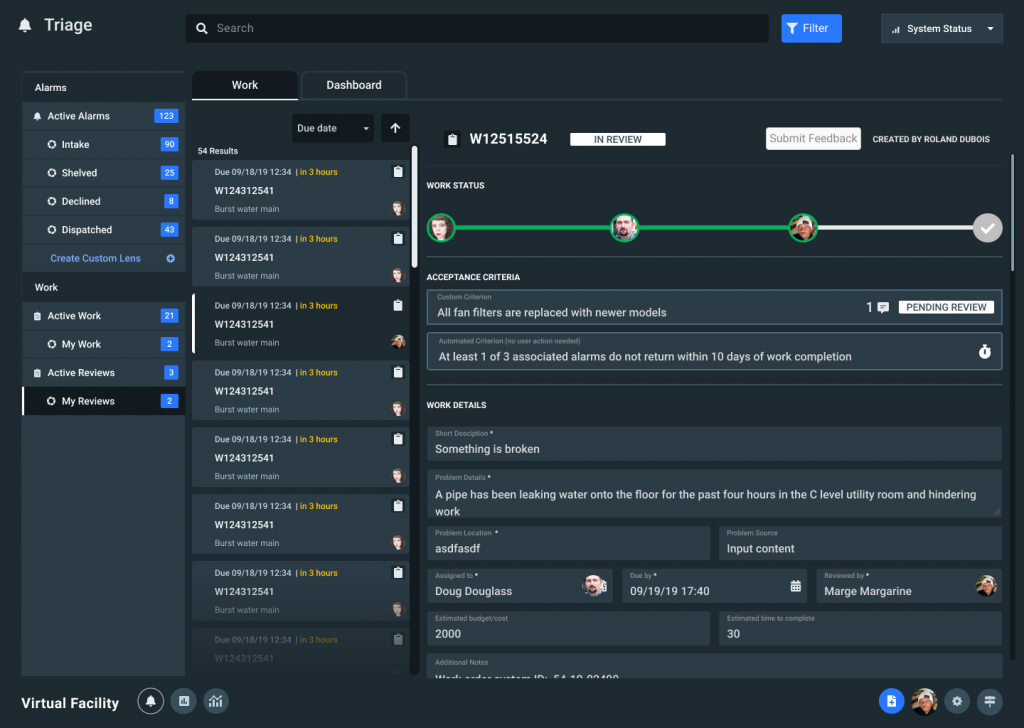
Do Work: a work ticket …
- displays work status
- has acceptance criteria that, when checked off, will require written summary
- has a chat function to enable communication and provide documentation for reference
Review Work: a work ticket …
- allows the review of successful accomplishment: are the completed tasks matching the acceptance criteria and did the alarms occurrence stop
- can be rejected with a comment for added context
- is being helped by an automated system review to assure the successful execution
Task flows
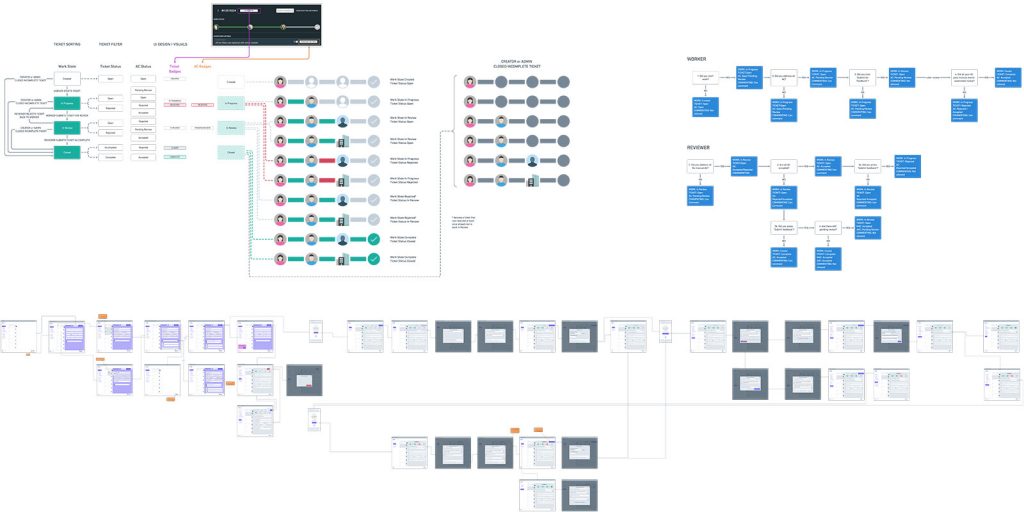
We iterated through multiple versions of the product feature, creating a “North Star” version and stripped it to the MVP version.
Wire frames
We created wireframes that illustrated work ticket status, task ownership, user permission settings, and process timelines.
These wireframes were used to clearly communicate between stakeholders and teams.
Usability testing
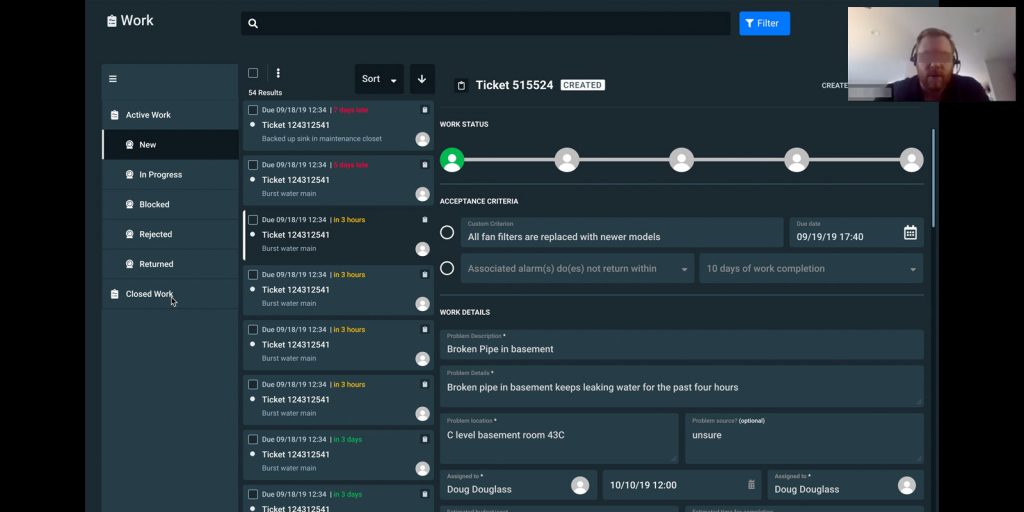
Our usability research efforts involved …
- 5 remote and in-person moderated 30 min interviews
- Machine and mechanical engineers
- Subject matter experts (SME) in the Facility Management business
- A mix of laptop and desktop computers
- Ages 35-55
- A clickable prototype (Figma) with 3 different scenarios for testing at different levels of interaction complexity
Release
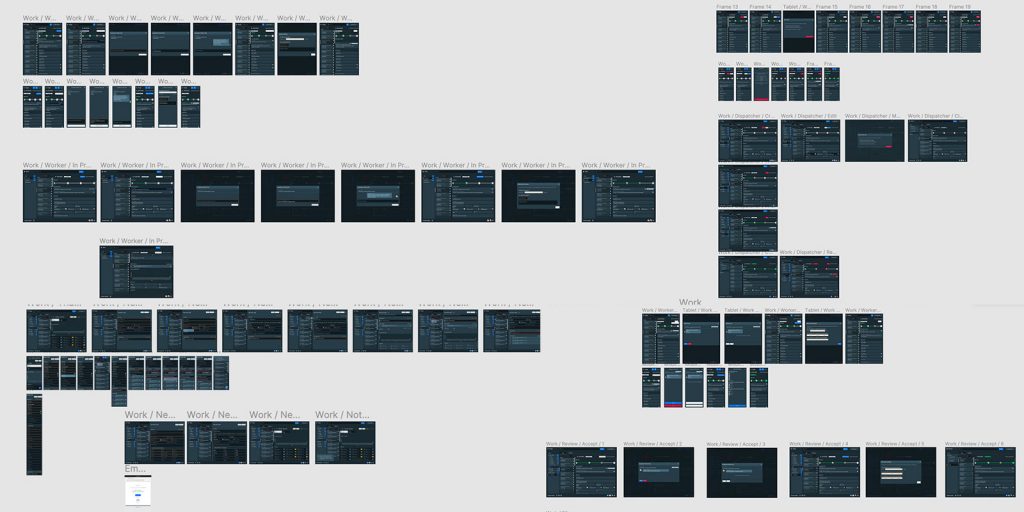
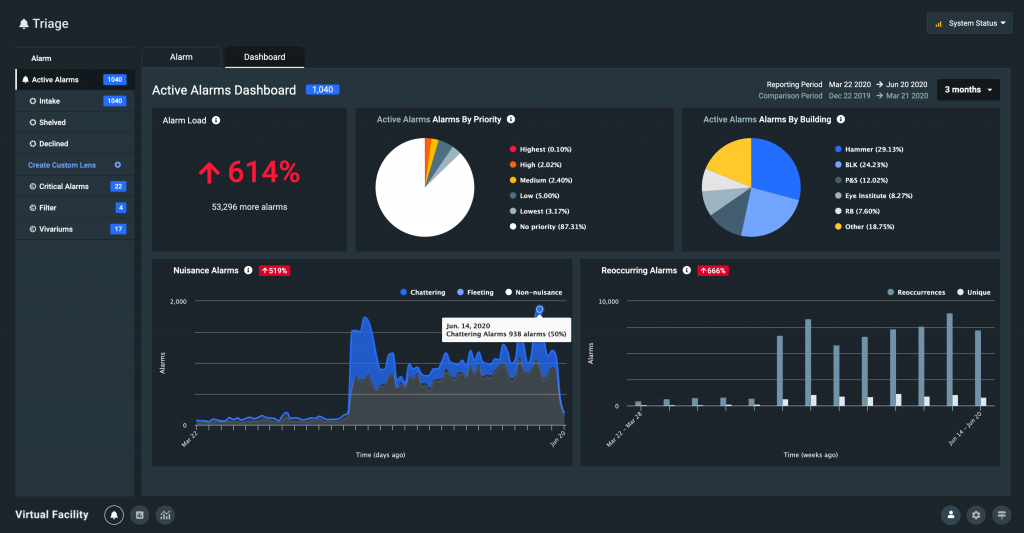
We shipped design assets at different media breakpoints for the progressive web app (PWA) using a design pattern library. All designs cleared ADA compliance guidelines.
Next steps …
Additional rounds of testing showed us which additional functionality is best suited for the next product feature rollout
- Allowing the attachments of PDFs/construction plans
Workers that receive tickets would inquire for context on specific mechanical systems libraries of folders with mostly expired printouts of plans.
However, the Facility Management office stored diligently the latest versions of their plans as PDF documents on their computers. - Making Work Tickets printable
Workers are used to taking paper printouts with them when going to work in machine rooms. In many cases, there is no wifi connection available and devices might get damaged when handled alongside metal tools and equipment.
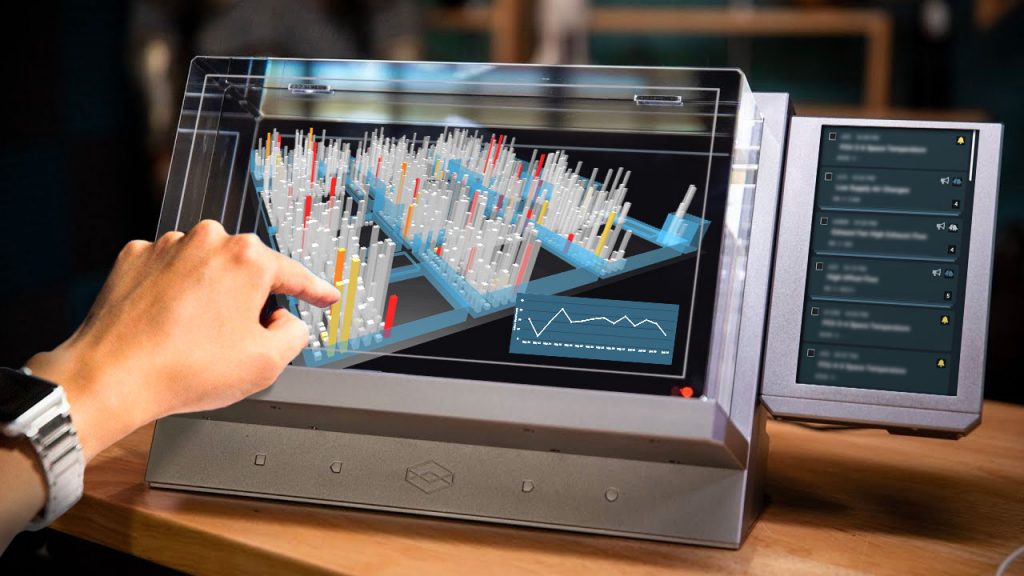
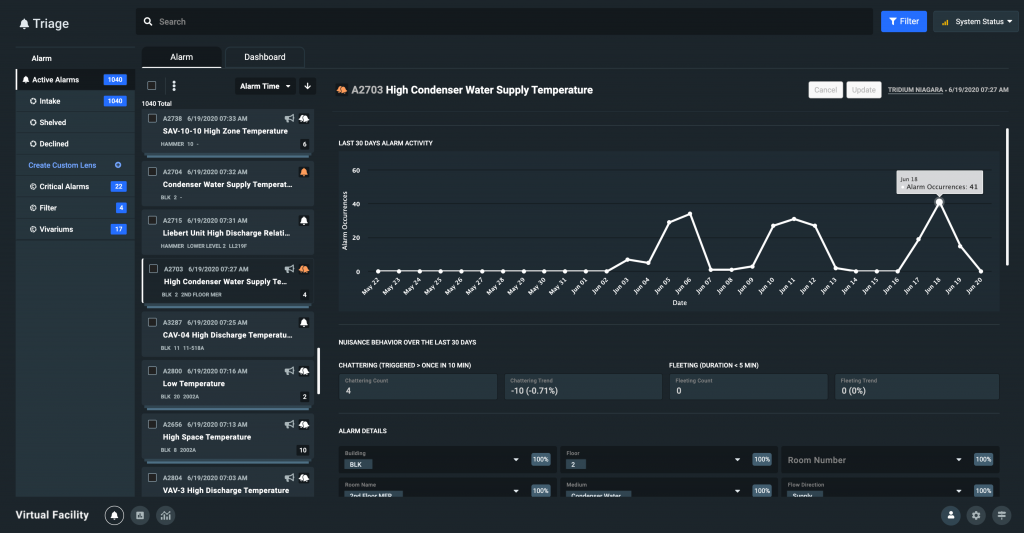
Experimental feature concept: Spatial visualization of alarm data in context to the facility real estate